
Flight Simulator vs Real Flight Training: What Matters More?
Flight simulator training vs real flight is a question a lot of future pilots ask early on—and it makes sense. Simulators are accessible, less intimidating, and can help you get comfortable with basic concepts before stepping into an airplane. If you’re trying to understand where they fit into your training, you’re asking the right question.
The Honest Answer: Simulators Help, But Real Flying Builds Pilots
Before getting too deep into the comparison, it helps to answer the big question right away: real flight training matters more. That does not mean simulators are useless. In fact, they can be very helpful when used the right way. But if your goal is to become a confident, capable pilot, there is no substitute for time in a real aircraft.
A simulator can help you prepare, review, and repeat certain tasks. Real flying teaches you how it all feels, how quickly things change, and how to make decisions when you are actually in the sky. The strongest student pilots usually understand both sides: they take their real flight lessons seriously, then use study tools, chair flying, and sometimes simulators to stay sharp between flights.
Real Flight Training Builds the Skills You Actually Need in the Air
Flying is physical, mental, and practical all at once. You are not just memorizing steps or moving controls. You are learning how the airplane responds, how your inputs affect the aircraft, how the wind changes your plan, and how to stay ahead of what is happening around you.
That is why real aircraft training is so important. It gives you direct experience with the things every pilot has to master, including takeoffs, landings, control feel, trim feel, rudder coordination, wind correction, and traffic pattern judgment.
These are not skills you can fully understand by watching a screen. You need to feel the airplane settle during landing. You need to recognize when you are drifting off centerline and sense when the aircraft is out of trim or when your rudder coordination needs work. Those lessons become much clearer when you are actually flying.
Simulators Are Helpful When Used as a Supplement
Simulators can still play a valuable role in your training, especially when you use them to support what you are learning in the airplane. They are great for practicing repeatable procedures, building cockpit familiarity, and reviewing flows before a lesson.
For example, a simulator can help you get more comfortable with checklists, radio call sequencing, basic instrument scan habits, or the order of tasks during a maneuver. That kind of repetition can make your real flight lessons more productive because you are not seeing everything for the first time once you climb into the cockpit.
The key is to keep the simulator in the right place. It should help you prepare for real flying, not replace it.
Real Flying Develops Judgment, Awareness, and Confidence
One of the biggest differences between simulator practice and real flight training is that real flying requires real-time judgment. You are dealing with actual weather, real traffic, changing winds, radio communication, airspace awareness, and the natural pressure of being in the airplane.
That experience matters. It teaches you how to interpret weather in real time, maintain situational awareness, adjust in the traffic pattern, and make safe aeronautical decisions. It also builds confidence in a way that feels different from simulator practice because you are learning to trust your training in the real cockpit.
This is where student pilots really begin to grow. You start connecting the “what” with the “why.” You are not just performing a maneuver because your instructor taught it to you. You are understanding how the airplane, environment, and your decisions all work together.
The Best Students Use Both Wisely
The strongest students are usually not the ones who rely only on one method. They fly regularly, listen closely to their instructors, prepare before each lesson, and review afterward. If they use a simulator, they use it with purpose.
That balance can help you make faster progress. Real flight training gives you the experience that matters most, while simulator practice can help reinforce procedures and keep your mind engaged between lessons. When you combine both wisely, you show up more prepared, more confident, and more ready to make the most of every hour in the airplane.
The Right Way to Use Flight Simulators During Training
Think of a simulator as a preparation tool. It can help you get familiar with procedures, cockpit flow, radio calls, navigation ideas, and instrument concepts before you are handling them in a real airplane. That extra practice can make your actual flight lessons feel more productive because you are not starting from zero every time.
Cockpit Familiarization
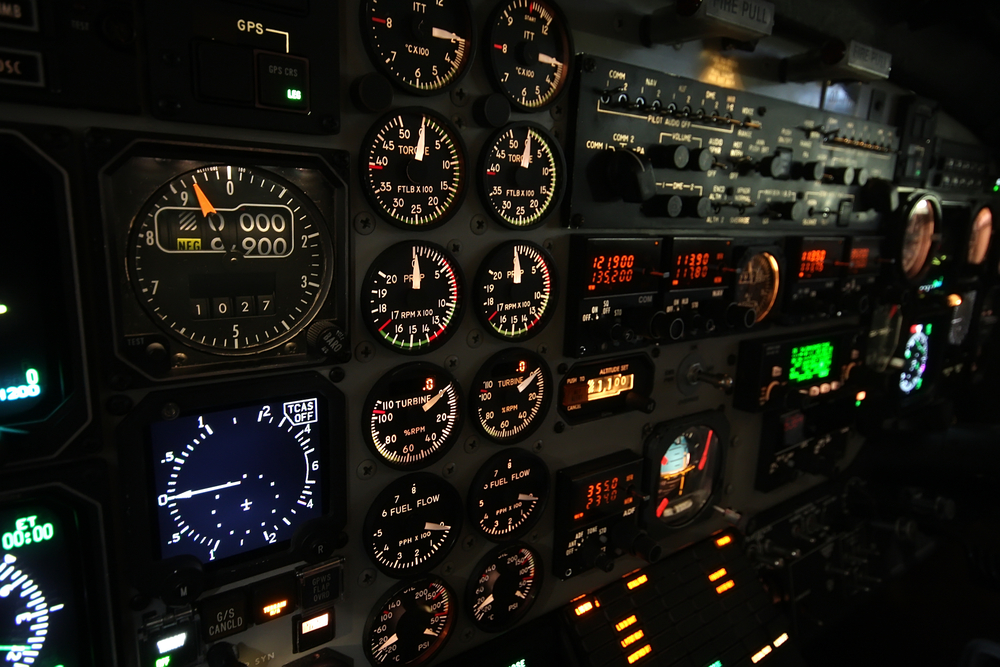
One of the biggest benefits of a simulator is that it can help the cockpit feel less foreign. Early in training, it is normal to sit in the airplane and feel like there are switches, screens, gauges, and controls everywhere. A simulator gives you a low-pressure way to start recognizing what everything is and where it generally belongs.
This can be especially helpful if you are training in a glass cockpit aircraft. You can get used to the layout, basic displays, and common functions before you are trying to manage them in the air. You will still need real cockpit experience, of course, but simulator time can reduce that “everything looks unfamiliar” feeling during your first few lessons.
Checklist Practice
Checklists are a major part of safe flying, and simulators can help you build that habit early. You can rehearse the flow of a preflight, engine start, taxi, run-up, takeoff, cruise, descent, and shutdown sequence without feeling rushed.
This kind of practice helps procedures feel less abstract. Instead of just reading a checklist on paper, you can connect each step to a cockpit action. Over time, that builds better organization and helps you walk into the airplane with a clearer sense of what comes next.
A simulator can help you practice:
- Checklist flow
- Cockpit organization
- Procedure sequencing
- Callouts and task order
- Building consistent habits before each lesson
Radio Communication Practice
Radio communication makes a lot of new students nervous, and that is completely understandable. You are learning a new language, listening to fast instructions, and trying to fly the airplane at the same time. Simulators can help you rehearse the basics before you use the real radio.
You can practice common phraseology, airport flow, traffic pattern calls, and basic listening skills. Even saying the words out loud before a lesson can make a big difference. The first few real radio calls may still feel intimidating, but they usually become easier when you have already practiced the structure.
That said, real radio work is different. In the airplane, you are dealing with actual controllers, other aircraft, changing instructions, and real timing. A simulator can reduce anxiety, but real-world communication confidence comes from actually doing it.
Navigation Practice
Simulators can also be useful for understanding how navigation works. If headings, courses, GPS routes, VOR concepts, or cross-country planning feel confusing at first, a simulator can help you visualize what is happening.
For example, you can see how changing a heading affects your route, how a course line works, or how wind correction might change the way you think about getting from one point to another. You can also preview a cross-country route before flying it in the real airplane.
Instrument Scan and IFR Concepts
This is one of the strongest use cases for simulation. Instrument flying requires discipline, scan, workload management, and a solid understanding of how to control the airplane using reference to instruments. A simulator can help you practice those concepts repeatedly. You can work on holding headings, maintaining altitude, tracking courses, recognizing deviations, and managing several tasks at once. For instrument students, this type of practice can be very valuable because repetition matters.
Emergency Procedure Rehearsal
Simulators can be helpful for rehearsing the order of actions during abnormal or emergency situations. You can practice what you would do for engine issues, diversions, unusual indications, or checklist-based problems in a controlled environment.
The value here is mental rehearsal. You are learning to think through the steps instead of freezing or guessing. You can practice identifying the problem, maintaining aircraft control, choosing a safe plan, and using the checklist.
Chair Flying With Visuals
Chair flying is one of the simplest and most effective habits a student pilot can build. A simulator can make that process more interactive by giving you visuals, cockpit references, and a sense of sequence.
You can rehearse a maneuver, traffic pattern, radio call, checklist, or cross-country procedure without paying for aircraft time. That does not make it the same as flying, but it can help you stay mentally sharp between lessons.
Using a Simulator Without Training? Here’s What to Watch For
Simulators can absolutely help your training, but they can also work against you if you use them the wrong way. That is especially true if you spend a lot of time practicing before you have an instructor helping you understand what matters and what does not.
The issue is not that simulators are “bad.” The issue is that they can make certain things feel real enough to build habits, but not real enough to teach the full skill correctly. You might feel like you are getting ahead, when in reality, your instructor may later have to spend valuable lesson time helping you unlearn things.
You Might Start Looking Inside Too Much
One of the most common simulator habits is staring at the instruments. On a screen, it is natural to focus on the airspeed, altitude, heading, vertical speed, and GPS. That is where all the information is, and it feels like that is where your attention should stay. But in visual flight, your eyes need to be outside most of the time. You are looking for traffic, judging your attitude, checking your position in the pattern, watching the horizon, and building awareness of what the airplane is doing in real space.
If you get used to flying mostly by staring at instruments, your instructor may need to help you rebuild your visual habits in the airplane. That is a big deal, especially during takeoffs, landings, turns, and traffic pattern work.
Desktop Controls Do Not Feel Like a Real Airplane
Another common issue is over-controlling. A keyboard, joystick, yoke, or set of desktop pedals does not feel like the actual controls in a real aircraft. The pressure, feedback, trim feel, and control response are not the same. Because of that, simulator users sometimes develop a habit of making constant corrections. They pull, push, twist, and adjust too much because the simulator does not teach the same smooth control touch you need in the airplane.
In real flying, small, measured inputs matter. You learn to feel the aircraft, trim properly, coordinate with rudder, and let the airplane settle instead of constantly fighting it.
Some Procedures May Not Match Real Training
A simulator lets you do almost anything, but that freedom can be a problem. You might start using shortcuts, skipping checklists, flying unrealistic approaches, or practicing flows that do not match how your flight school teaches them.
That can create confusion later. If your instructor teaches a specific checklist flow, traffic pattern entry, radio sequence, or maneuver setup, you want your practice to support that method—not compete with it.
Common procedure-related habits include:
- Skipping or rushing checklists
- Using incorrect cockpit flows
- Practicing approaches that do not reflect real training standards
- Relying too heavily on GPS
- Doing procedures differently from how your instructor teaches them
The goal is not just to “get through” a simulated flight, but to build habits that transfer safely into the real airplane.
Simulators Can Give You the Wrong Idea About Landings
Landings are a major area where simulators can be misleading. On a screen, landing can start to feel like a visual video game: line up the runway, control the descent, flare at the right moment, and touch down. Real landings are much more physical and much more nuanced. You are managing energy, sight picture, wind correction, rudder coordination, sink rate, pitch, power, and runway alignment all at once. You are also feeling what the airplane is doing, not just watching it.
A simulator may help you understand the general sequence of a landing, but it cannot fully teach the feel. That is why real landing practice with an instructor is so important.
Some Skills Are Easy to Misunderstand Without an Instructor
Certain flight skills need real explanation, demonstration, and correction. If you practice them alone in a simulator, you may think you understand them when you are actually missing the most important parts.
For example, you might “recover” from a stall in a simulator without really understanding angle of attack, control pressure, coordinated flight, or why the recovery steps matter. Or you might fly a traffic pattern that looks fine on screen but does not reflect proper spacing, altitude discipline, wind correction, or local procedures.
The Best Simulator Practice Has Direction
The best way to use a simulator is to connect it to what you are currently learning with your instructor. Instead of randomly flying around or teaching yourself procedures, use it to reinforce real lessons.
For example, after a lesson, you might use a simulator to rehearse a checklist flow, review a cross-country route, practice radio call timing, or visualize a maneuver sequence. That kind of practice supports your training instead of creating habits your instructor has to undo.
Used with the right mindset, a simulator can be a helpful tool. Used without guidance, it can quietly teach you things that do not belong in the real cockpit.
Learn to Fly With Leopard Aviation in Phoenix
When you are comparing simulators and real flight training, the next question naturally becomes: where should you actually train? The right flight school should help you build confidence, understand the airplane, make better decisions, and feel supported as you grow from curious beginner to capable pilot.
That is what we focus on at Leopard Aviation. We believe real flight training should be professional, approachable, and genuinely enjoyable. Whether you are brand new to aviation or ready to take the next step in your training, we are here to help you learn in a real aircraft, with real instructor guidance, in one of the best flying environments in the country.
Real Flight Training in Phoenix
Leopard Aviation provides hands-on flight training in the Phoenix area, where students can enjoy plenty of opportunities to learn, practice, and grow in the cockpit. We began flight instruction operations in Scottsdale and expanded to Mesa as more students discovered the value of training with us.
Phoenix is an exciting place to learn to fly. Students gain experience with local airspace, warm-weather operations, training conditions, and real-world decision-making with the support of experienced instructors. Each lesson helps you become more comfortable, capable, and confident in the airplane.
Family-Owned and Student-Focused
We are a family-owned and operated flight school, and that personal approach shapes the way we train. Students feel welcomed, respected, and supported from the first conversation through each stage of training.
Learning to fly is exciting, and it can feel like a big step at first. We create a professional, comfortable environment where you can ask questions, make steady progress, and enjoy the process. Our mission is to produce well-trained pilots while maintaining a fun, encouraging, and professional training experience.
Modern Cessna 172S Skyhawks
We train our students in modern Cessna 172S Skyhawks, a proven aircraft that is stable, reliable, and well-suited for student pilots. The Cessna 172 has earned its place as one of the most trusted training aircraft in aviation because it gives students a strong platform for learning real flying skills.
Experienced Instructors Who Guide Your Progress
Our Certified Flight Instructors are professional, supportive, and passionate about aviation. Some bring experience from airline or corporate flying, and all of them care about helping students develop the habits and judgment that real pilots need.
That instructor relationship is one of the biggest advantages of real flight training. You receive real-time correction, mentorship, and guidance from someone who can see what you are doing, explain why it matters, and help you improve safely.
With an instructor beside you, you learn how to:
- Correct mistakes early
- Build confidence at the right pace
- Understand the “why” behind each procedure
- Develop sound aeronautical decision-making
- Progress through training with structure and purpose
Start With a Discovery Flight
If you have ever thought about learning to fly, a Discovery Flight is the perfect place to start. You will fly with one of our Certified Flight Instructors in a nearly new Cessna 172S Skyhawk and experience what it is like to be in the pilot’s seat.
You will have the opportunity to take the controls and feel what it is like to fly. It is a relaxed, supportive introduction to aviation and a great way to see whether flight training is right for you.
During your Discovery Flight, you can expect:
- One-on-one time with a Certified Flight Instructor
- Hands-on flying experience
- A relaxed, supportive environment
- Answers to your questions about training and next steps
At Leopard Aviation, we focus on making flight training approachable, enjoyable, and confidence-building. You will train in modern aircraft with instructors who are invested in your success, all on a schedule that works for you.
Begin Your Pilot Journey Today
Understanding flight simulator training vs real flight helps you see where each tool fits. Simulators can support your progress by helping you review procedures, build familiarity, and prepare between lessons. But real aircraft training is where you develop control feel, judgment, awareness, confidence, and the practical skills every pilot needs.
At Leopard Aviation, we believe the best training happens when preparation meets real cockpit experience. With a modern fleet, experienced instructors, and hands-on flight training in Phoenix, we are here to help you take the next step with confidence. Schedule your flight training lessons with us today and discover what it feels like to truly take the controls.
FAQs
Can a flight simulator help me prepare for my first flight lesson?
Yes, especially if you use it to become familiar with basic cockpit layout, checklists, radio calls, and the general flow of a lesson. It can make the airplane feel less intimidating when you arrive. The key is to keep your practice simple and avoid teaching yourself control habits before your instructor has shown you the correct technique.
What skills are best learned in the actual airplane?
Aircraft control, takeoffs, landings, rudder coordination, trim feel, slow flight, stalls, and traffic pattern work are best developed in the airplane. These skills depend heavily on sight picture, control pressure, sound, motion, and real-time feedback. Your instructor can watch how you respond, correct small issues early, and help you build confidence through actual flying experience.
Can simulator practice create bad habits?
It can, especially if you practice techniques that require real aircraft feel, such as landing flare, rudder coordination, stalls, or emergency responses. That does not mean simulator practice is a problem. It simply means you should ask your instructor what to practice and what to leave for the airplane. Good guidance helps simulator work support your training.
How does Leopard Aviation help students balance simulator practice and real flight training?
At Leopard Aviation, we help students use preparation time wisely while keeping real aircraft training at the center of their progress. Our instructors can guide you on what to review between lessons, which procedures are helpful to rehearse, and where hands-on instruction matters most. We want your practice habits to support safe, confident flying in the actual airplane.
What avionics will I learn with at Leopard Aviation?
Our aircraft are equipped with advanced Garmin G1000 glass cockpit avionics, GFC 700 autopilot, and ADS-B In and Out. These systems give students valuable exposure to modern cockpit technology. We teach you how to use avionics as a tool while still developing the core flying fundamentals, judgment, and situational awareness every pilot needs.